Manage Every
Minecraft Server
All in One Place
Open-source desktop panel built in Electron / Tauri*. Manage all your Minecraft servers, in one place. Made for developers, beginners and experts.
* Tauri support in MCPanel v2
FEATURES
MCPanel brings professional server management tooling to everyone, for free.
Server Management
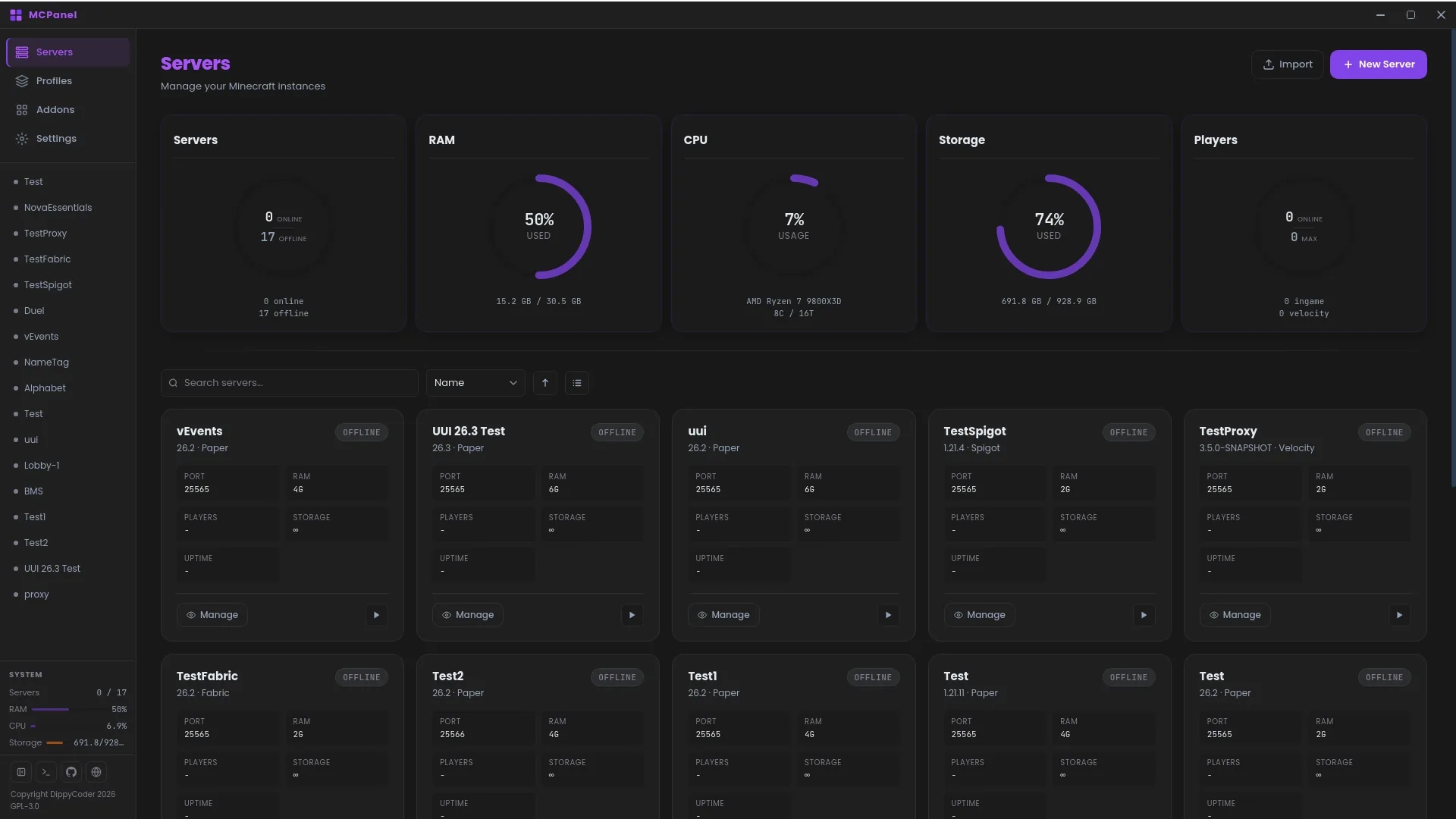
Run and administer multiple Minecraft servers simultaneously from a single unified dashboard. Organize them into groups for easy navigation. Manage them with Quick Settings.
Auto Version Fetching
Automatically fetch the latest server JARs from official APIs. Supports Paper, Purpur, Leaf, Vanilla, Fabric, Velocity, and Spigot.
Live Console
Real-time server output with full ANSI color support, command history navigation, and smart auto-scroll. Send commands directly from the panel.
Profile System
Create server presets with preconfigured files and plugins. Apply profiles to new servers instantly, saving hours of manual setup.
Java Configuration
Per-server JDK paths and fully customizable Java arguments. Built-in JDK scanner detects all installed versions across your system.
Theme System
Ships with Dark Slate and Bright Slate, and V1 themes keep working in V2. Browse and install community themes straight from the Explorer.
Plugin & Mod Browser
Install plugins and mods with one click, with support for Spigot, Hangar and Modrinth built right in.
Backups & Scheduled Tasks
Create backups and schedule recurring tasks with ease, so your servers keep themselves in order.
Highly Optimized
Built on Tauri and the MCPanel CLI: around 150MB RAM at idle, with an installer as small as ~2MB.
File Manager
Manage server files directly from the panel.
Built-in Text Editor
Edit server.properties, YAML configs and scripts in-app with syntax highlighting, powered by Ace.
Addon System
Extend MCPanel with addons from MCLib and other libraries.
Player Manager
Manage players directly from the panel.
V1 OR V2?
Don't know what to pick? We'll break it down fo you.
V1 is discontinued and no longer receives updates.
Windows, macOS & Linux
Runs on all major desktop platforms out of the box.
Stable
Versions are tested and stable. (Discontinued)
Built-in Node.js Runtime
Using Electron, with a CSS/HTML/JS frontend and Node.js as backend.
Full Theme Support
Dark Slate, Bright Slate, and community themes via ZIP or URL.
Unoptimized
In idle: ~300MB RAM, installation file size as low as ~70MB
Last commit:
Windows, macOS & Linux
Runs on all major desktop platforms with MCPanel-CLI.
Stable
Active development - versions are unlikely to break.
Powered by MCPanel CLI
Using Tauri in Rust, with a CSS/HTML frontend and MCPanel CLI using Python as backend.
Full Theme Support
Allows v1 themes to work on v2, every theme can be downloaded from the Explorer.
Highly Optimized
In idle: ~150MB RAM, installation file size as low as ~2MB
Plugin/Mod List
Install plugins and mods with 1 click, supporting Spigot, Hangar and Modrinth.
Backups and Scheduled Tasks
Create backups and schedule tasks with ease.
File Manager
Browse, upload, rename and delete server files without leaving the panel.
Text Editor
Edit configs and scripts in-app with syntax highlighting, powered by Ace.
Addon System
Extend MCPanel with addons from MCLib and other libraries.
Player Manager
Manage players directly from the panel.
DEMO
Try the MCPanel WebUI yourself. Everything runs in your browser with sample servers, so nothing you do here touches a real machine.
The interactive demo requires a larger screen. Open on desktop to try it out.